Showing posts with label Customization. Show all posts
Why to Root your android

Hey there android users!wassup?are you in a dilemma of whether or not to root your android device? well,then this post is for you.i'm gonna briefly point out the advantages and dis advantages of rooting your android and then you yourself can weigh them and take a decision.
Advantages of Rooting Android phone:
Install incompatible Apps:


Your device may be the latest one with high specs,but still there are certain apps which you are not allowed to install on your devices.They maybe blocked by the carrier,or may need additional privileges to run or some times your phone may not be of the compatible brands,whatever the reason maybe,rooting helps you out
Automation:


There are some apps that can help you automate your everyday tasks,like enable/disable silent mode after particular time of the day,play songs when earphones are plugged in,silent on flip action( if not supported by default ),toggle wifi and mobile data basing on location or time and many more,you name it!you can get the full task automation capabilities over your droid once you root it
Boost phones speed and also battery life:

Battery life is one of the main things that bother us,and most of us do know how to optimize battery life.same is the issue with speed,but once you've rooted your phone you get the complete hands on to these features,you can overclock your processor and there are even some custom ROMs which consume lesser amounts of battery than your stock ROM
Block Ads:


Yes you can block Ads,pop ups in any app after you've rooted your device
Complete Backup:
Google may provide a backup of your primary data like contacts,mail,messages,wifi credentials etc but there are certain apps out there which can create a complete backup of your app/system data,which means once you've taken a backup of a game,and after you accidentally uninstalled it and then restored the backup,you would get all the old game coins,levels,missions etc right where you left them without having to play from the beginning
Remove pre-installed Apps( blotware ):

Most of the phones with stock ROMs come with many unwanted pre installed apps like flipkart,m buddy etc etc which are there even if we never use them,they are by default un-uninstallable,but rooting helps you get rid of them
Tweak every possible display element:

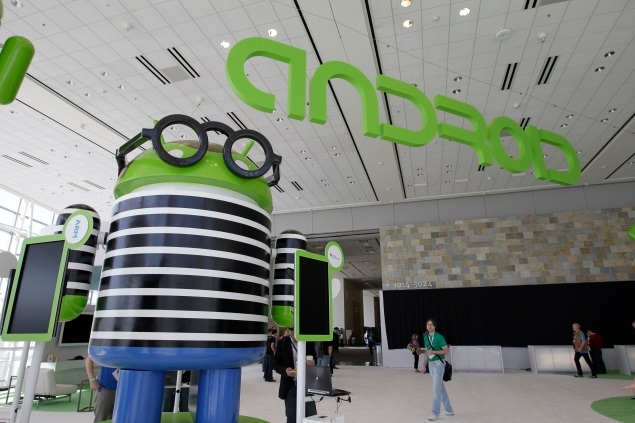
There are certain apps that allow you to customize every corner of your android without installing much of third party running services which hog your memory.you can customize your boot logo,system fonts,task bar,notifications,keyboards,list scroll effects,change the complete look and feel of your device
Functionality:

Here comes the main feature for power users,rooted devices provide a diverse and highly functional environment than the general android,you may be surprised to know that you can even run windows xp or kali linux on your android device,yes it is very possible.and there are tons of apps in the play store itself to add greater functionality to your rooted device
Social Networking made easy:

Apps like 2 lines for whatsapp or 2 lines for facebook lets you run multiple whatsapp or facebook accounts with the same device and you can switch between accounts within seconds
Flash Custom ROMs~one for every one!:

You don't have to stick to your stock ROM provided by the manufacturer,there are tons of custom ROMs out there available for free and which are highly tweaked and personalized by experts you can taste them all once you've rooted your device
Upgrade to latest version of android even before manufacturer releases OTA Update:
you no longer have to weight for the manufacturer to release an upgrade patch for you to get the latest android version,you simply can search for required ROM and flash it by yourself
PEN Test:

you can use your android device to hack into wifi,try dictionary attacks,perform MITM,cookie stealing,session jackings,network deAuths,ARP poisoning and all many more advanced PEN tests
The above are just some of the things you can do with your rooted android device,and when it come to the disadvantages of rooting,
- Voids warranty
- possibility of bricking (very very less probable)
- Minor issues with Google Wallet
Thats all,now its upto you to decide
Hide files from Android Gallery

If you want to hide media items from your android gallery without using any suspicious applications,you can simply follow this tutorial.
.nomedia method:
- All you would need is a good file manager.I would personally suggest using x-plore its a very good file manager
- open xplore and create a new text file

- remove the .txt extension and create a bare file with ".nomedia"extension remember leave it name less,but just with an extension

- now when it opens the editor just put in a dot,nothing else and save the file

- And now which ever directory contains this file will not be indexed in your android gallery.you can copy it and use for multiple directories,leaving it in your root sd card mount will prevent any media from being read by your device.
- once you've created this file,you can use it to hide multiple directories or even all the media files from your sd card at a shot
the "." :
.jpg)
in case you quickly want to hide a directory and don't have the above said .nomedia file,you can simply put a "." before the name of the directory and vola!its hidden from the gallery
Make your computer speak

Sounds!are the main aspect of customizing your system,today we will see how to change windows default sounds of your system.
- First you need to know that only sounds in the format of *.wav can be used as system sounds,so if you want to use any sound,you must first convert it into .wav file,you can also use Daniusoft video converter to do so.
- Or you can use research.att to make your own custom messages.
- Or even here is a set of custom tones which i use for my pc
- Next you need to start switching the default system tones with your own ones.to do so,first open control panel > Hardware and sound

- Then click on change system sounds under sound tab

- then select any program event and then click browse to search for the tone,and don't forget to save it a new sound scheme


- Then click apply,and then ok.Thats it!you are done.Have fun :)
Adding album covers to mp3 files

Ever wondered how some music files come along with album covers or photos?its because those images are embedded along with those music files,at this point of time,i may not be able to say you how it works,but i can show you how to do it.
With this method,you can change the album covers of your favorite mp3 files,make your picture an album cover,replace site albums (especially for users of songslover.com )
- Ok,First step,download Mp3 cover downloader.
- Now install it,and run it.During the first run,it prompts to make a donation,ignore it,
- Now browse fo the folder which contains your mp3 files

- Now after you've done that,a list of all the mp3 files gets loaded,and will be displayed on the top frame,you can browse through them by clicking the arrow signs
- The best part is,it searches the web for related album covers,you can use them or add your own ones

- For adding pics from the search results,select the picture and click apply
- Or you can click on Add button to browse for files from your computer and add them.

- And if you've noticed,therez a crossed camera sign beside the song name,which indicates that there is no album cover prior to the operation,if any file has an album image previously,it would be replaced automatically when you follow the above process
Before:

After:

Tag :
Customization,
Media
Ironman desktop~guide to rainmeter

Iron man!hez one of my fav geeks,ok today lets see how to make your desktop look as above


